How to Choose the Right UPS or Inverter for Your Home or Office
 Written by computersolutionsaccessoriesSeptember 10, 2026
 How to Choose the Right UPS or Inverter for Your Home or Office
Why Power Protection Isn't Optional
Anywhere power isn't perfectly constant, and that describes most places, an unprotected computer, router, or point of sale system is one outage away from lost work, a corrupted file, or a shortened equipment lifespan. A sudden power cut doesn't just switch a device off, it can interrupt a save in progress, damage a hard drive that was actively writing data, or send a voltage spike through equipment that has no way to absorb it. A UPS or inverter isn't a luxury add on, it's the difference between an outage being a minor inconvenience or an expensive one.
This matters for a household relying on a laptop for work or study just as much as it does for a business running a till, a router, and a few computers throughout the day. The equipment being protected changes, but the underlying risk, sudden loss of power damaging hardware or interrupting work, stays exactly the same.
UPS or Inverter, What's the Difference
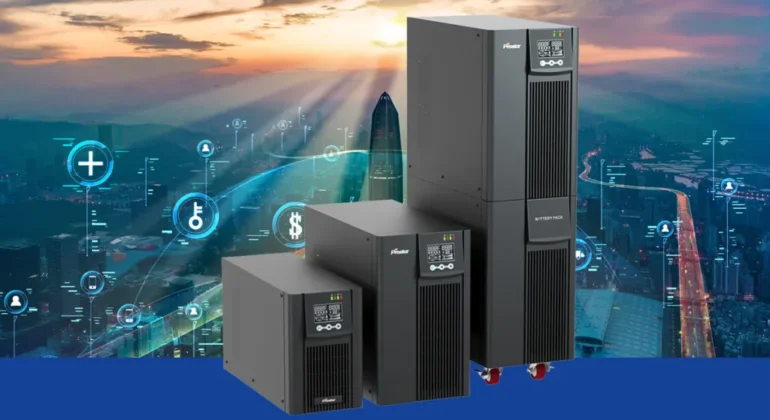
A UPS (uninterruptible power supply) is designed to switch to battery power instantly when the mains supply cuts, giving connected equipment a smooth, uninterrupted supply for a short period, long enough to save your work and shut down safely, or to bridge a brief outage entirely. An inverter, paired with a larger battery bank, is built for longer backup runtime, powering lights, fans, and other appliances for hours rather than minutes, but it isn't always designed to switch over instantly enough to protect sensitive electronics from a hard cut. Many households and offices end up using both, a UPS for computers and networking equipment that need an instant, clean switch, and an inverter for broader coverage of lighting and other appliances during a longer outage.
Understanding Your Actual Power Needs
Before choosing a unit, it helps to list exactly what needs protecting and for how long. A single laptop and router draw very little power and need a fairly small UPS, while a desktop computer, monitor, and a few other devices draw considerably more and need a larger unit to match. Write down what you actually want to stay powered during an outage, rather than assuming a bigger unit is always the safer choice, since oversizing unnecessarily adds cost without adding real benefit for a small setup.
VA and Watts, What These Numbers Actually Mean
UPS and inverter capacity is usually listed in VA (volt amps) and watts, and these aren't quite the same thing, watts represent the actual power a device draws, while VA is a related but slightly larger figure due to how electrical equipment behaves. As a simple rule of thumb, add up the watts of everything you plan to connect, then choose a unit with a VA rating comfortably above that total, leaving room rather than sizing it to the exact minimum. If you're not sure how to add this up for your specific equipment, our team can help you work it out before you buy rather than after.
Runtime, How Long Backup Power Actually Lasts
Runtime, how long a unit keeps your equipment running once the mains supply cuts, depends on both the battery's capacity and how much power your connected equipment actually draws. A UPS is generally built to bridge a short outage or give you enough time to save your work and shut down safely, typically minutes rather than hours, while a larger inverter and battery setup can be sized for several hours if that's genuinely what you need. It's worth being realistic about how long outages typically last in your area, since paying for far more runtime than you'll ever use adds cost without adding real value.

Battery Type and Lifespan
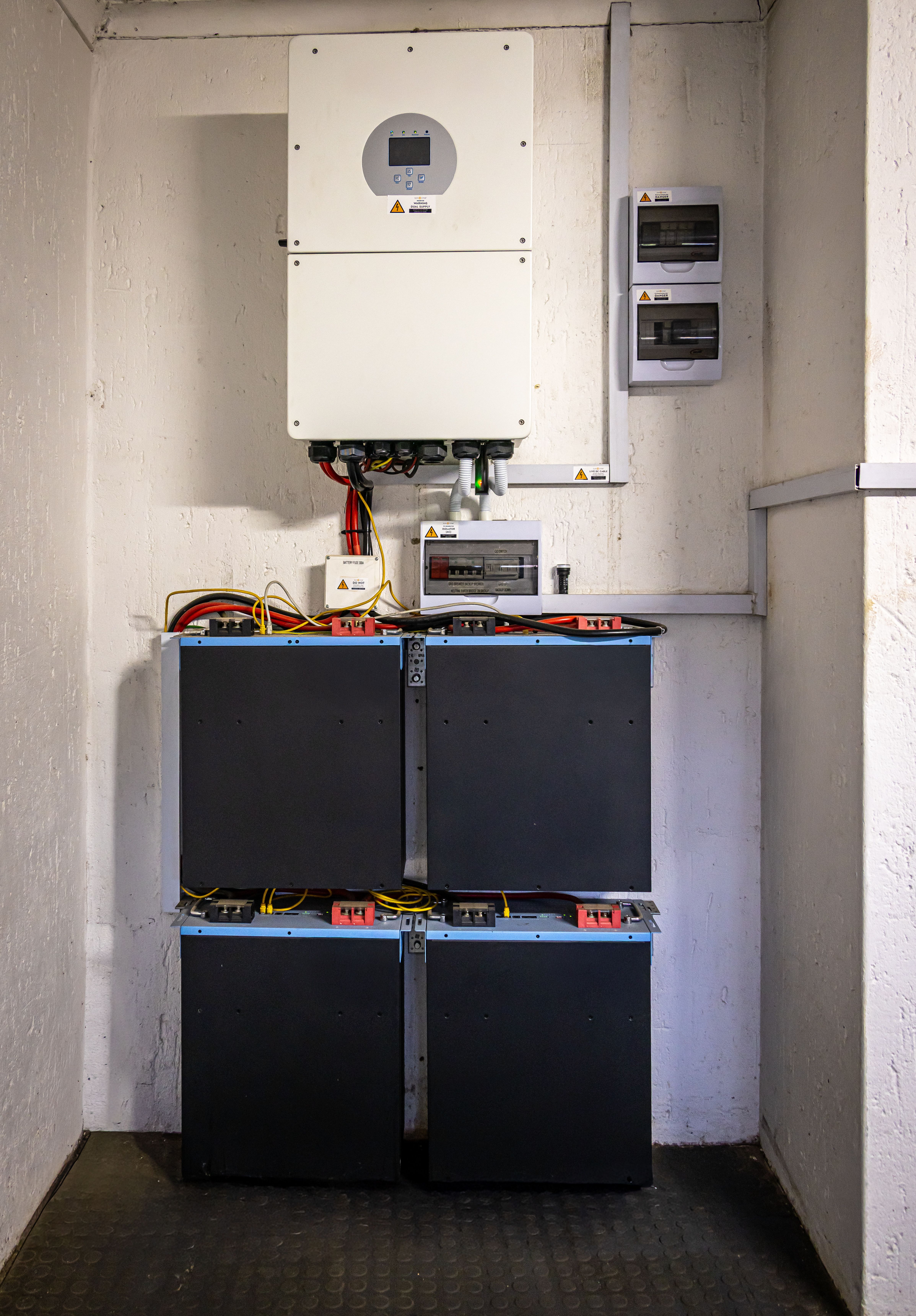
Most UPS units use sealed lead acid batteries, which are reliable and affordable but do wear out over a few years of regular use, and eventually need replacing even if the rest of the unit is working fine. Larger inverter setups sometimes use lithium batteries instead, which tend to last longer and handle repeated charging and discharging better, though usually at a higher upfront cost. Whichever type you choose, it's worth knowing that the battery, not the electronics around it, is usually the first part of the system to need attention, so ask about replacement battery availability and cost before you buy, not after the original battery fails.
Protecting Sensitive Equipment or Just Keeping the Lights On
It's worth being clear about what you're actually trying to achieve, protecting sensitive electronics from sudden power loss and voltage spikes, or simply keeping lights, fans, and basic appliances running through a longer outage. These are related but different goals, and they call for different equipment. A computer, router, or point of sale system benefits most from a UPS with genuine surge protection and an instant switch over, while general household or office power during a longer outage is better served by a larger inverter setup sized for that broader load.
Sizing for a Home or a Small Office
A home setup protecting a laptop, router, and maybe a television usually needs only a modest UPS, while a small office running several computers, a point of sale system, networking equipment, and lighting needs a larger, more carefully planned setup, sometimes a combination of a UPS for critical electronics and a separate inverter for broader coverage. The right size genuinely depends on what's actually plugged in and how critical each device is to keep running, so it's worth having this conversation with someone who can look at your specific setup rather than guessing from a general size chart.
Installation and Safety Considerations
A UPS or inverter should be installed somewhere with reasonable ventilation, since batteries generate some heat during use and charging, and kept away from direct sunlight or excessive moisture. Overloading a unit by connecting more equipment than it's rated for is one of the most common causes of early failure, so it's worth checking the total load against the unit's rating whenever you add a new device to what's plugged into it. For a larger inverter setup involving significant wiring, it's worth having it installed by someone experienced with the wiring involved, rather than treating it as a simple plug and play device.
Common Mistakes We See
A few issues come up repeatedly when we're asked to look at a UPS or inverter setup that isn't performing as expected:
- A unit sized for the equipment originally connected, then overloaded as more devices were added over time.
- No plan for battery replacement, so the whole unit gets treated as faulty when it's really just an aging battery.
- Units placed somewhere hot or poorly ventilated, shortening battery life well before it should need replacing.
- Assuming a UPS built for computers will also comfortably run larger household appliances.
- Buying based on price alone, without checking the actual VA and watt rating against real equipment needs.
A Few Quick Questions Answered
How long does a typical UPS battery last before needing replacement? Most UPS batteries last a few years under regular use, though this varies with how often outages occur and how well the unit is ventilated, and a battery that's struggling to hold charge is usually the first sign it needs replacing.
Can I add more devices to a UPS after buying it? You can, as long as the total load stays within the unit's rated capacity, which is exactly why it's worth sizing a little above your current needs rather than to the exact minimum.
Do I need both a UPS and an inverter? Not always, it depends on what you're protecting. Many households only need a UPS for their computer and router, while a business with broader power needs during outages often benefits from having both.
Final Thoughts
Choosing the right UPS or inverter comes down to being honest about what you actually need protected, and for how long, rather than buying the biggest unit available or the cheapest one on the shelf. If you're setting up a home office or protecting business equipment, our guide on why a reliable network matters covers another piece of the same puzzle, since network equipment is exactly the kind of thing worth keeping powered during a short outage. Our Power Solutions range covers UPS units and inverters for setups of any size, and our team is glad to help you work out the right one for your equipment.
Not sure what size UPS or inverter you need?
Tell us what you want to keep running during an outage, and we'll help you work out the right setup, in person or over WhatsApp.